







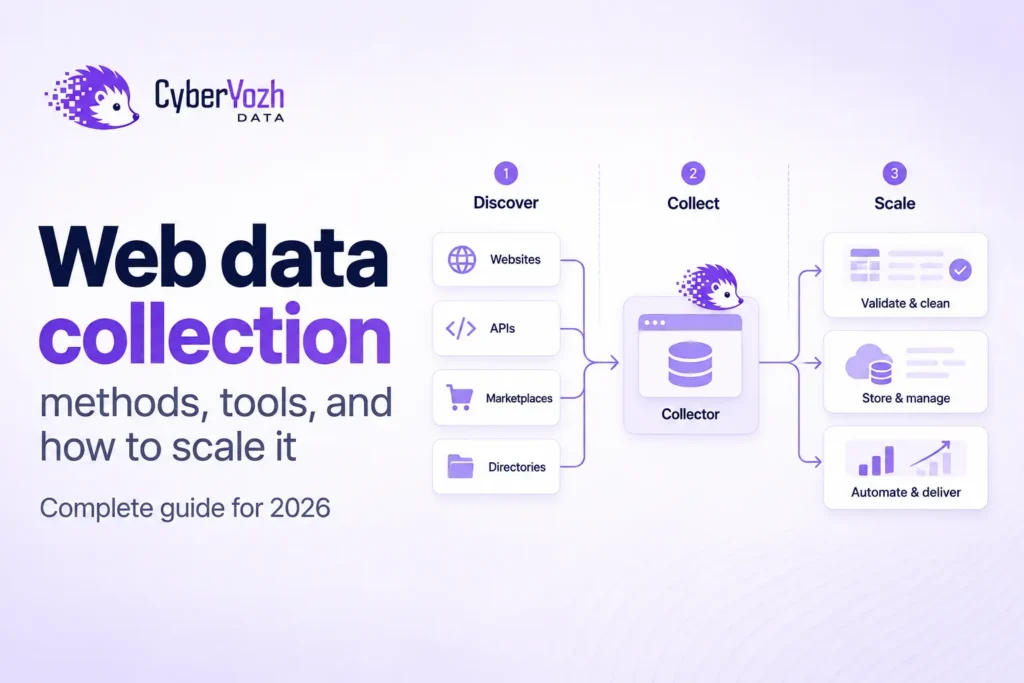
Web data collection is the process of turning information published on the web into data you can search, compare, analyze, or send to another system. A complete workflow does more than scrape a page: it decides what to collect, finds the right pages, retrieves them, extracts the required fields, checks the result, stores it, and repeats the process when fresh data is needed.
That scope matters. Some articles use web data collection to include surveys, customer analytics, or online tracking. Those are valid forms of web-based research, but they are different from collecting data from websites, which is the focus here. Competitor pricing, product catalogs, public reviews, search results, job listings, documentation, and public market data are common examples.
Quick answer: A reliable web data collection pipeline is: define the data → choose the source → discover URLs → retrieve or render pages → extract fields → validate records → store and monitor the next run.
What is web data collection?
Web data collection is the end-to-end process of acquiring useful information from web sources and converting it into a dataset. Web scraping is one part of that process, not a synonym for the whole thing.
The distinction is easiest to see by separating the jobs. Crawling discovers pages, retrieval downloads or renders them, extraction turns page content into fields, validation checks whether those fields are usable, and storage keeps the records for analysis or another application.
A recent systematic review of web scraping covering 301 primary studies similarly describes the process as finding and retrieving web pages, extracting useful information, and turning it into structured formats such as JSON or CSV.
This separation also makes failures easier to diagnose. If a dataset is missing half a catalog, the problem may be discovery rather than extraction. If every URL was visited but the price field is empty, the crawler may be fine while the extraction rule is broken.
What are the five main methods of web data collection?
There is no single best collection method for every website. The right choice depends on where the data is exposed, how frequently it changes, whether JavaScript is required, and whether you already know which pages contain the records.
| Method | Best when | Main trade-off |
| Official API or feed | The source exposes the fields you need directly | Coverage, quotas, or schema may be limited |
| Dataset, archive, or export | You need historical or one-off data | May not be fresh enough for monitoring |
| Direct HTTP + parser | Data is present in predictable HTML | Cannot see content created only after browser-side JavaScript runs |
| Browser-based scraping | Pages require JavaScript rendering or permitted interaction | Higher CPU, memory, and runtime cost |
| Crawler + scraper | Pages must be discovered across a site before extraction | Needs scope, deduplication, rate limits, and monitoring |
AI-assisted extraction is useful too, but it is better treated as a technique inside these methods rather than a sixth access method. An LLM can help infer a schema or recover a selector, but it still works on content that first had to be discovered and retrieved. AI web scraping is most useful when it supports a controlled extraction process rather than replacing validation.
If an official API exposes the exact fields and freshness you need, start there. When it does not, web scraping API services, custom HTTP extraction, browser automation, or a crawler and scraper combination may provide the missing coverage.
How do you collect web data in seven steps?
A repeatable workflow starts with the data contract, not with choosing a scraper. This keeps the project focused on the result you need instead of the tool that happens to be convenient.
- Define the fields. Decide what a valid record contains, such as title, price, currency, source_url, and retrieved_at.
- Choose the source. Identify the pages, APIs, feeds, archives, or domains that contain those fields.
- Discover URLs. Use known URL lists, sitemaps, search, or a crawler when the pages are not already known.
- Retrieve the content. Use direct HTTP when possible and browser rendering when JavaScript is genuinely required.
- Extract the fields. Parse HTML, JSON, structured markup, CSS/XPath matches, or other source data into your schema.
- Validate and deduplicate. Check required fields, allowed formats, duplicates, unexpected nulls, and whether the record actually represents the page you intended to collect.
- Store and monitor. Persist the result with provenance, then schedule the next run according to how quickly the source changes.
That last step is what turns a one-time scrape into automated web data collection. The broader web scraping automation problem includes retries, scheduling, queues, failure handling, and deciding what should happen when a source changes.
What tools are used for web data collection?
Most production systems use several small tools rather than one tool that does everything. The useful categories are discovery, retrieval, extraction, validation, orchestration, and storage.
A crawler handles URL discovery and crawl scope. HTTP clients or browsers retrieve pages. Parsers and extraction rules turn content into data. Validation code checks schemas and field values. Cron, Airflow, Temporal, queues, or similar orchestration tools decide when jobs run, while databases, object stores, and warehouses keep the records.
For public-web analytics pipelines, it is often better to keep collection separate from storage. The web scraping analytics pattern lets the collection layer produce JSON while your existing Postgres, BigQuery, Snowflake, Kafka, or other data stack remains responsible for downstream processing.
Which web data collection method is best?
The best method is the least complicated one that reliably returns the fields, coverage, and freshness the project requires. A browser is not automatically better than a direct request, and a crawler is unnecessary when you already have a complete list of URLs.
A practical order is to check for a suitable API or export first, then inspect whether ordinary HTTP exposes the data. Add browser rendering only for content that depends on JavaScript, and add crawling only when discovery is part of the problem. This keeps infrastructure proportional to the job.
The source matters too. A daily marketplace price monitor has different requirements from a monthly documentation archive or an AI agent fetching one current page. CyberYozh Data already has narrower examples for ecommerce marketplaces and AI-agent web access, while this page focuses on the collection architecture they share.
What breaks when web data collection scales?
At small volume, the obvious failure is a request that times out or gets rejected. At larger volume, the more dangerous failure is often quieter: the request succeeds, the job finishes, and the data is still wrong.
A 200 OK response can contain the wrong locale, a consent page, an empty component, a changed product layout, or a different page type. A selector can keep matching after a redesign but start returning the old price, a crossed-out value, or an unrelated field. Row counts and request success rates will not catch that by themselves.
That is why scaling should be measured in correct records per run, not requests per second. Useful controls include required-field checks, type and range validation, source URLs, retrieval timestamps, duplicate rates, accepted null rates, coverage against expected URLs, and alerts when a field distribution changes unexpectedly.
Crawl quality matters separately. Set hard page and depth limits, canonicalize and deduplicate URLs, exclude irrelevant patterns, and keep per-domain request rates conservative. If a permitted job needs distributed or geographic network routing, add a web scraping proxy because the network requires it, not simply because the workload is called scraping. The proxy type for scraping should follow the target and traffic pattern.
Data-quality check: A successful fetch proves that you received a response. It does not prove that the record is complete, current, or semantically correct.
How can Yozh Crawler and Yozh Scraper automate the pipeline?
CyberYozh Data separates discovery from extraction in two open-source, self-hosted services. Yozh Crawler starts from a seed URL, maintains the frontier, deduplicates discovered URLs, applies scope rules, and streams page events over SSE. Yozh Scraper retrieves the pages, can render JavaScript with Playwright, and can extract structured data with CSS or XPath rules.
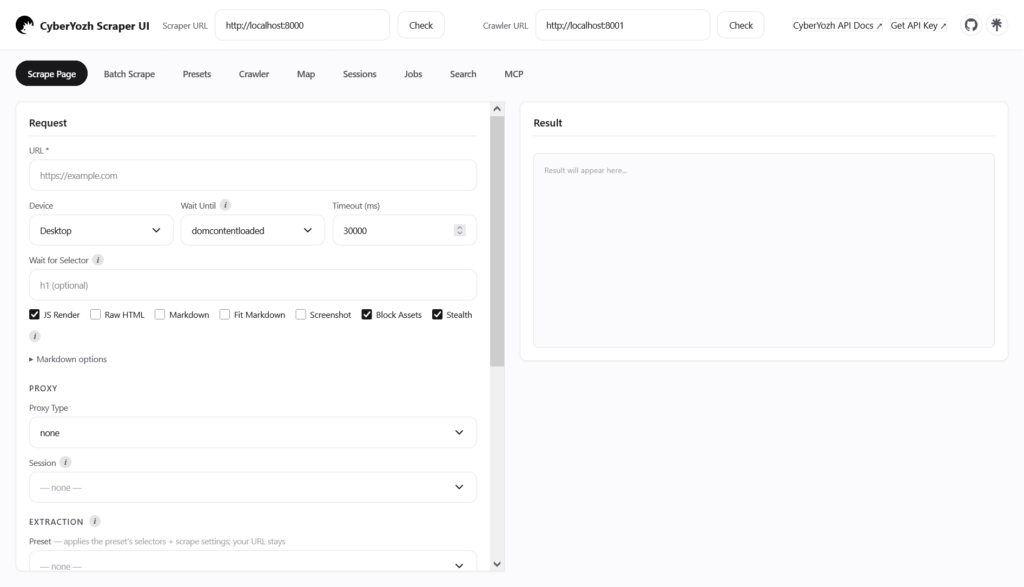
That split maps directly to a general collection pipeline:
Seed URL → crawl and discover → retrieve or render → extract → validate → persist
For a crawl, controls such as mode, include_patterns, exclude_patterns, max_depth, max_pages, per_domain_rps, and per_domain_concurrency define where the crawler may go and how quickly. For extraction, Yozh Scraper supports render, wait_for_selector, extract, raw_html, and batch requests through /api/v1/scrape/pages.
There are operational limits worth designing around. Yozh Crawler v1 does not authenticate its endpoints, so keep it on a trusted network or behind your own gateway. Crawl jobs are held in memory rather than being your long-term data store, so persist the stream or results in your own system. Proxy routing is optional: direct collection uses proxy_type: none, while CyberYozh proxy types require CYBERYOZH_API_KEY.
This is intentionally not a replacement for your database, scheduler, or validation layer. It is the discovery and retrieval/extraction part of the stack, which makes it easier to change storage or orchestration without rewriting the collector.
How do you collect web data responsibly?
Responsible collection starts before the first request. Confirm that the data and intended use are permitted, keep collection limited to what the project needs, avoid unnecessary personal or sensitive data, and do not design a crawler to overwhelm a target service.
robots.txt is a standard mechanism for site owners to publish crawler instructions. The Robots Exclusion Protocol specifies how automated clients should interpret those rules and also makes clear that robots rules are not a form of access authorization. Yozh Crawler’s current technical documentation states that it does not consult robots.txt automatically, so a responsible deployment must check and enforce relevant rules itself through its crawl design.
The CyberYozh Data use policy and restricted-targets policy provide additional platform boundaries. Technical accessibility is not permission, and public visibility does not remove privacy, copyright, contractual, or jurisdiction-specific obligations.
Final thoughts
The useful way to think about web data collection is as a data system, not a scraping script. Discovery, retrieval, extraction, validation, storage, and monitoring solve different problems, and keeping them separate makes failures easier to detect and the pipeline easier to change.
Start with the fields and freshness you actually need. Then choose the simplest collection method that exposes them, validate what comes back, and design the second run before you scale the first one.
FAQs about web data collection
These questions cover the remaining search terms without turning general research-methodology questions into web-scraping advice. The focus stays on acquiring information from websites and turning it into usable data.
What is web data?
Web data is information available through websites, web applications, APIs, feeds, files, or other internet-accessible sources. It can include text, prices, product attributes, public reviews, job listings, search results, dates, links, images, and structured metadata.
Is web data collection the same as web scraping?
No. Web scraping is usually the retrieval and extraction stage, while web data collection also includes source selection, page discovery, validation, storage, refresh, and monitoring. Scraping can therefore be one component of a larger collection system.
Can AI automate web data extraction?
AI can help infer fields, generate extraction rules, normalize inconsistent content, or recover from layout changes. It should still be constrained by a schema and checked against the source because plausible output is not the same as verified output.
Do I need proxies for automated web data collection?
Not always. Many public or cooperative sources can be collected directly, especially at modest request rates. Proxies are relevant when an authorized workflow has a specific network-routing or geographic requirement, and they should be introduced for that reason rather than by default.